Displaying data in a drawing
MechworksPDM is seamlessly integrated in the CAD environment and allows you to display any available information as variant notes inside the drawings.
MechworksPDM and file Properties
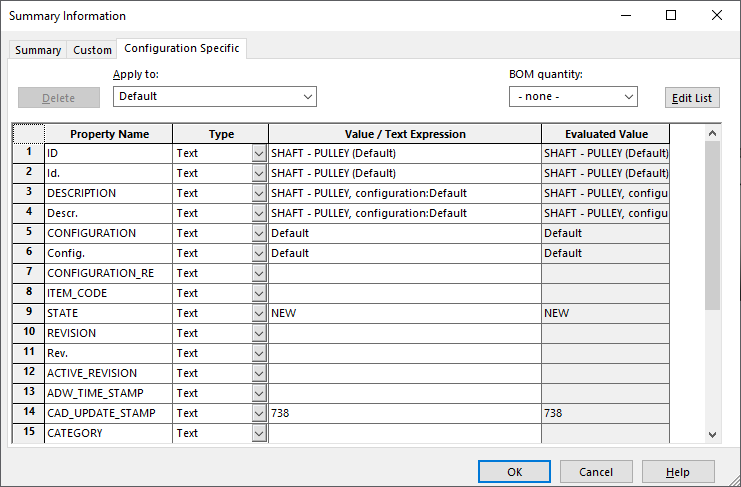
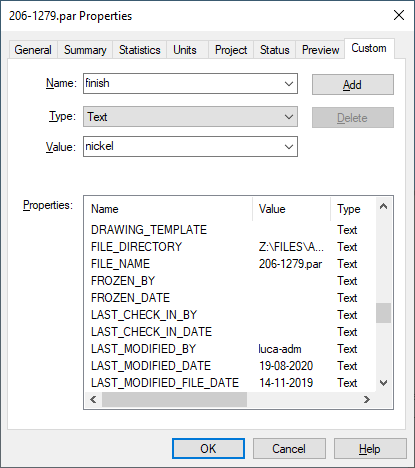
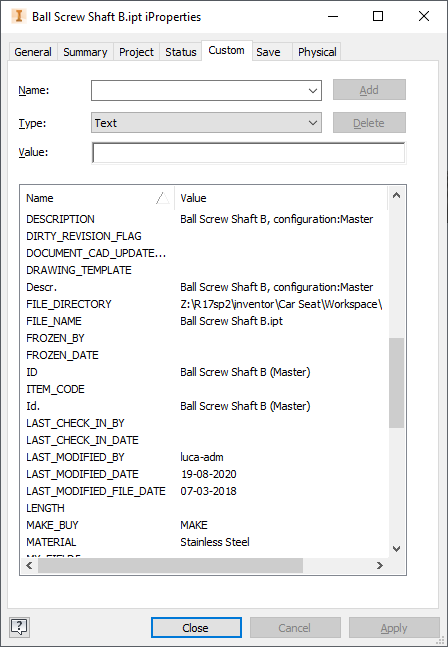
All the data are stored into the database as well as in the files themselves (in files' custom properties). This ensures that the CAD is able to retrieve the record information directly from the file for its Bill Of Material and the information is available also on workstations where MechworksPDM is not installed. Storing field values directly in the file system is also a natural backup of the database content.
Last but not least, having data in the file is better performing when filling drawing templates.
|
|
|
|---|---|---|
Solidworks |
Solid Edge |
Inventor |
Add notes to drawings that fill themselves automatically
Variant notes or, in general, template filling is a wide chapter; data shown in the drawing could be taken from a fixed data or through a script that calculates it at opening/saving/refreshing time.
Here is the specific topic Inserting MechworksPDM fields in drawings
Display BOM containing up to date information
MechworksPDM updates the file properties each time a document is saved. If you need to display total cost or total weight for an assembly, you recall the up to date information automatically as defined in the database.
You can therefore customize your BOM to include what is valuable information to you and calculate automatically totals in MS Excel.