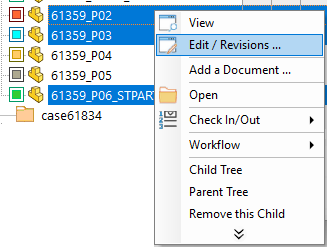
Edit/Revisions ...
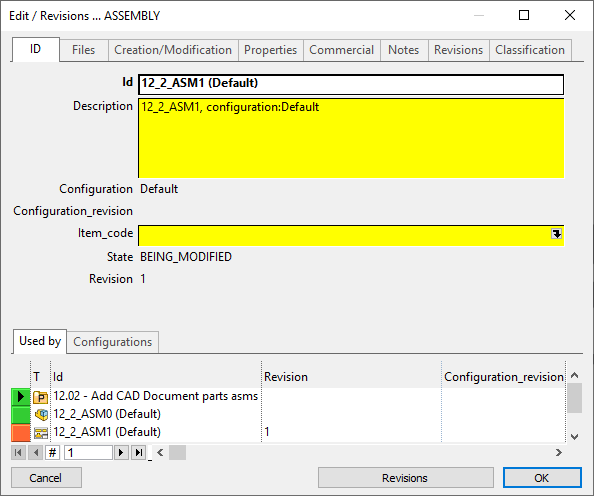
The command Edit/Revisions displays the fields of the database record associated with the document and allows for editing. You van have access to the revisions records clicking the button below.
Grey fields are not editable, only yellow ones are.
If the record is all white, you're not allowed to edit it, which could depend on other settings as for instance the option that keeps from editing a record in a released state.
Optionally, you can ensure that after editing the current grid is requeried automatically and therefore displays always up to date information.
The custom properties of CAD files and of MSOffice files (.DOC, .XLS, .PPT) are updated after editing a PDM record.
Multiple record editing
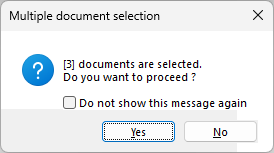
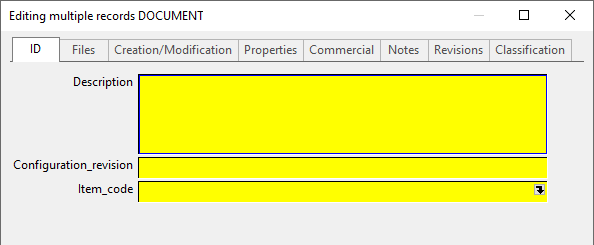
It's possible to edit multiple records a time, by selecting a set of them in the tree or in a grid and clicking rmb→Edit Revision/Data, even of different types.
In case all the record of the set are of the same type (all parts, all assemblies, all drawings, etc) the shown dialog is exactly as if you edit a single record of that type.
In case the records are of mixed types, the shown dialog shows the fields declared in default SCHEMA\DataEntr2.txt except some of them (see the list of the excluded fields here) because are dependent on the single records, and so, not editable:
NAME_FIELD_REVISION
NAME_FIELD_T
NAME_FIELD_CONFIGURATION
NAME_FIELD_CREATED_BY
NAME_FIELD_CREATION_DATE
NAME_FIELD_LAST_MODIFIED_BY
NAME_FIELD_LAST_MODIFIED_DATE
NAME_FIELD_LAST_MODIFIED_FILE_DATE
NAME_FIELD_LAST_CHECK_IN_BY
NAME_FIELD_LAST_CHECK_IN_DATE
NAME_FIELD_ACTIVE_REVISION
NAME_FIELD_CHECK_OUT_BY
NAME_FIELD_CHECK_OUT_DATE
NAME_FIELD_FROZEN_BY
NAME_FIELD_FROZEN_DATE
NAME_FIELD_UPDATE_STAMP
NAME_FIELD_CAD_UPDATE_STAMP
NAME_FIELD_UNIQUE_ID
NAME_FIELD_COMPANY_ID
NAME_FIELD_CONFIGURATION_REVISION
NAME_FIELD_CONFIGURATION_STATE
NAME_FIELD_REPLICATION_PARTNERS