The Event Log table
MechworksPDM maintains a list of the all the actions performed on every CAD document inside MechworksPDM. It is important to understand that MechworksPDM does not log CAD actions and therefore keeps track only of information related to MechworksPDM: saving files, opening files, deletion of records, revision related actions, BOM creations, options modifications and so on... For each log is available the date, time, user name, workstation name, application used (the addin);
The event log browser is available from the shortcutbar, in the Events section.
Once executed, the Event Log is shown as a table with a sort zone on the top: 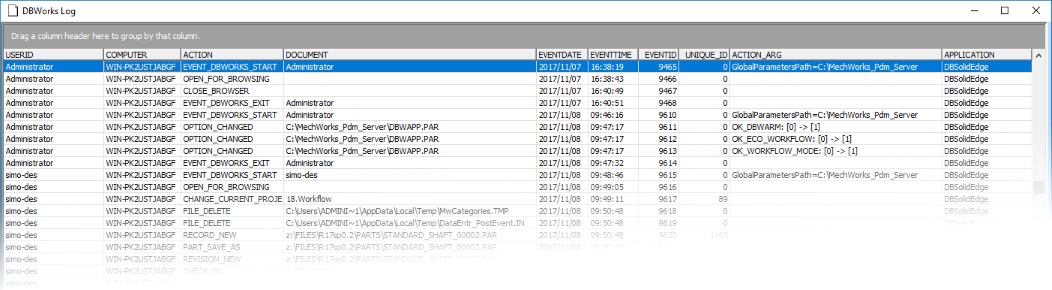
The fact that MechworksPDM stores this information in a database improves dramatically the flexibility with which you can retrieve data: you can view a log of all the events related to a document or check all the revision operations or again view all the events related to a single user and so on...
You can drag the column headers in the grey zone at the top of the dialog to group all the events and have a better visibility of specific actions: 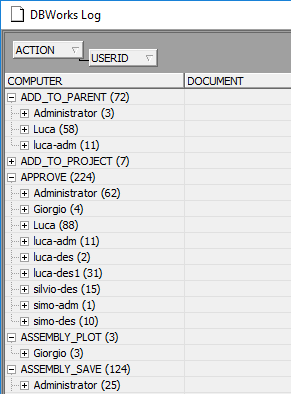
Workflow actions
The events of Submitting a document to the workflow, Approving a document, Rejecting a document are logged in the EVENT_LOG table.
Remote Access actions
The events of Remote Access module are stored in a different browser named Event Log Remote Access, that's available from the shortcut bar as well