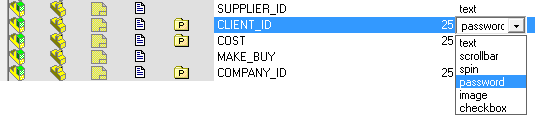
Extended Data Form user interface
In the DataEntr2.TXT fields the following control types can be added to the fields definitions:
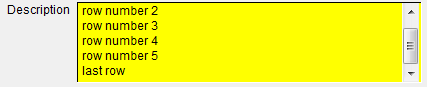
scrollbar
creates an edit control with a vertical scrollbar; useful for editing/displaying fields on more than one row.
Example for Dataentr2.txt:
DESCRIPTION 75,scrollbar
Result in the Input form:
spin
creates an edit control with a spinner on the right side; useful for editing numerical fields to be incremented or decremented of a unit.
Example for Dataentr2.txt:
COST 25,spin
Result in the Input form:

password
creates an edit control with the characters hidden and replaced by stars (*) or dots (•••); useful to hide informations.
Example for Dataentr2.txt:
CLIENT_ID 25,password
Result in the Input form:

uppercase / lowercase
converts the content of the textbox to uppercase or lowercase at confirmation time.
Example for Dataentr2.txt:
COMPANY_ID 25,uppercase
Result in the Input form:

checkbox
creates an edit control with a checkbox
Example for Dataentr2.txt:
IMPORTED checkbox
Result in the Input form:

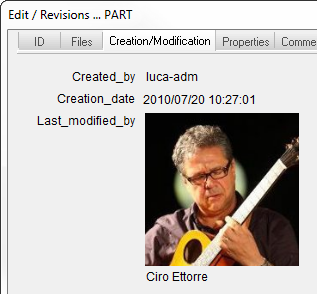
image
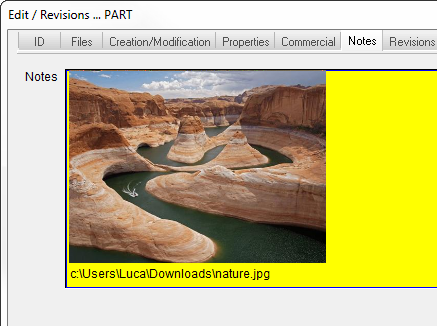
Creates an edit control with an image being displayed. The field can contain the full path of an existing JPG/TIF/BMP/TGA/PCX file (ex: Z:\MyPictures\MyImage.JPG).
If the value is not a full path, MechworksPDM will try to locate an image in the IMAGES sub-directory of the LST shared directory, creating the file name as follows:
<shared LST directory>\IMAGES\<value of the field>.JPG/TIF/BMP/TGA/PCX
<value of the field> is the value of the files, with all the blanks and special characters replaced by underscores ( "_" ).
If, for example, the field CREATED_BY is declared of type "image", and it contains the value "Ciro Ettorre", MechworksPDM will look for:
<shared LST directory>\IMAGES\Ciro_Ettorre.JPG/TIF/BMP/TGA/PCX
Example for Dataentr2.txt:
CREATED_BY 200,image
Result in the Input form:
This is an example with a full path:
DBCustomizer handles the way a field is displayed and edited correctly