Floating Licenses installation for Integrated and StandAlone
If an Integrated version of MechworksPDM is available on the same workstation, the installation of the Floating Licence is not necessary.
Starting the License Manager manually (or via batch file)
First get the Standalone working with the shared database and paths as usual.
1.Copy the dbwlm.exe on the server that shares the MechworksPDM files
2.Create a batch file as follows DBWlm.exe h:\dbworks_standalone\USERS
where h:\dbworks_standalone\USERS
is the shared user directory defined in the Standalone path options for the USERS directory.
3.Change the registration code on the MechworksPDM clients . The registration code is delivered separately.
DBWLicense Manager user interface
The license manager dialog shows information about the system:
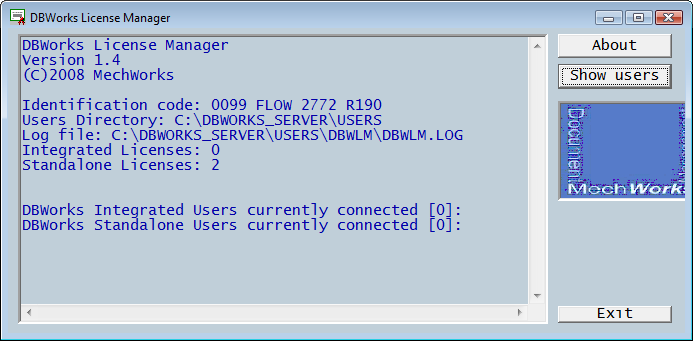
•Identification code: it's the specific code for the floating license (different for each customer)
•Users Directory: shows the shared USERS folder.
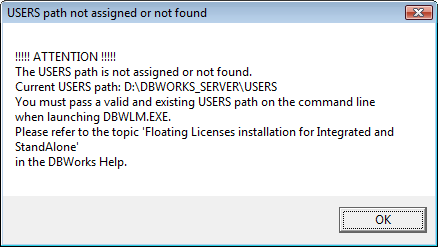
if not specified or not existing, a message is displayed when the dbwlm is started
•Log file: the location where the log file is created
•Integrated/Standalone licenses: shows the number of floating licenses allowed according with the subscription
•: Shows the number of users currently connected
DBWLM Client user interface
The license manager client shows (usually remotely) information about the running license manager:
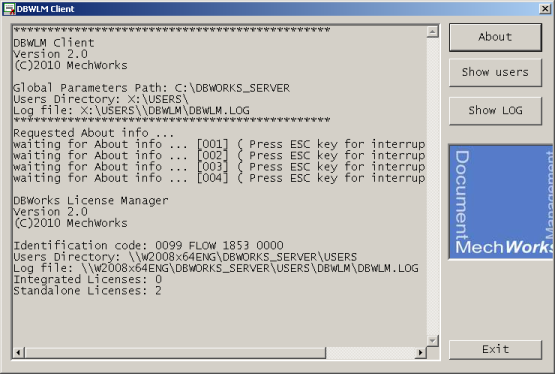
•Global Parameters Path
•Users directory
•DBWMLM log file location
•: shows the number of users currently connected
•: shows the content of the log file (on the server where DBWLM is running)
Starting the License Manager as a system service
Troubleshooting
In case a user lost connectivity, or a countdown is started up to a disconnection for unknown reasons, the cause could be:
1.the connectivity with the USERS directory is lost for any reason, from both the Workstation or the DBWLM sites
2.two users log in nearly at the same time - DBWLM has a tolerance of about 10 minutes
Both cases should be logged in the USERS\DBWLM\DBWLM.LOG file, always written by DBWLM.
This feature is available only for DBWLM version 1.3 or more recent