 Open for updating
How you get here
Solidworks
No button is present in the toolbar; it's available starting from CAD menu Tools, MechworksPDM, Open for Updating ...
Inventor
It's part of the ribbon bar in the Open for Browsing ... section
Solid Edge
It's part of the ribbon bar in the Browser section
Description
Opens MechworksPDM for editing and displays the current Page as in Browsing mode.
This operational mode forces a refresh of the record at each click in any grid and is therefore much heavier on the database than the browsing mode.
The update mode is intended to be for administrative usage only. Since it provides full control on the database values (no value limitation is performed and no check on entered values consistency), we strongly suggest to use this mode only for batch updating or record deletion to avoid excessive loads both on the network and on the database.
The Open for updating mode cannot be limited in any way;
e.g. if rename functionality is not allowed due to DBWARM restrictions, the Open for Updating mode will allow it anyway.
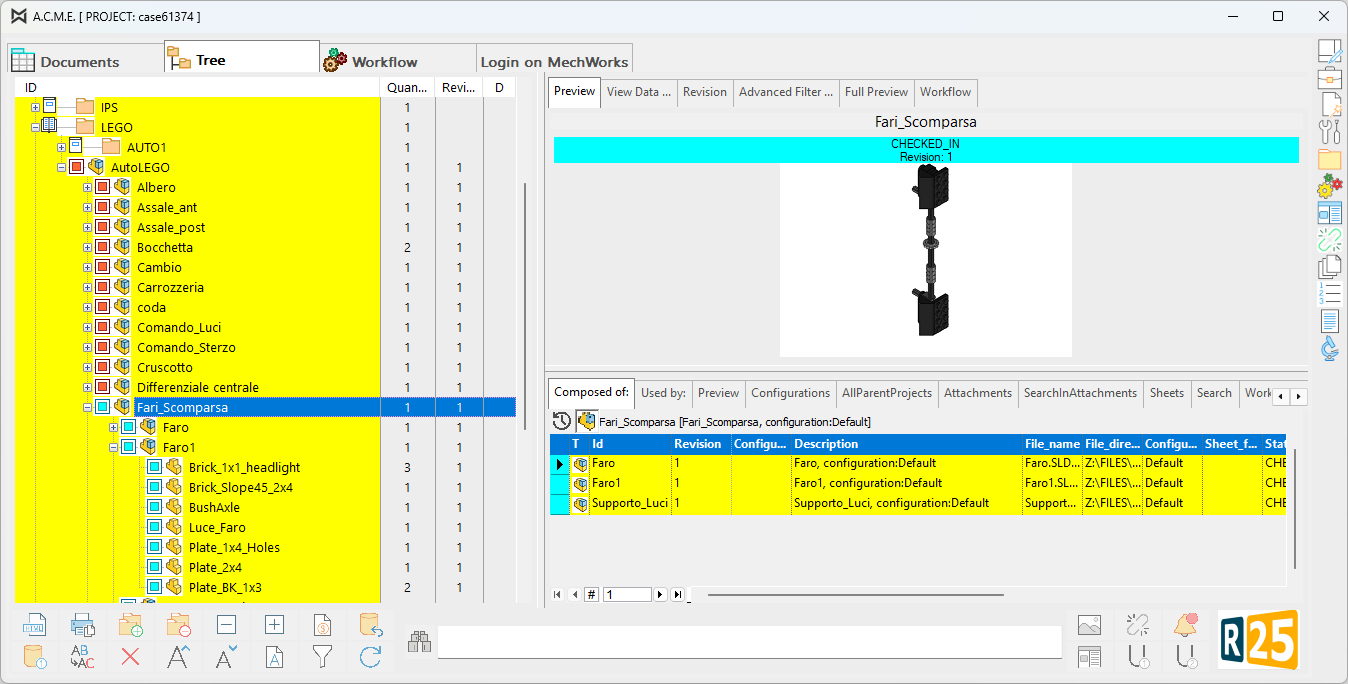
The record being edited is marked in blue. In this view it is also possible to delete records, using the button bar.
When Opening For Updating, MechworksPDM leaves the browser in the mode it was before entering the update mode.
You can enable or disable the option Show current project documents only from the Projects grid also while in update mode.
As a result:
If the mode Show current project documents only is DISABLED:
•you can directly edit the record data from within the grids of the browser
•you can use the Replace function and the Delete function.
If the mode Show current project documents only is ENABLED:
•you cannot edit directly the record data from within the grids of the browser
•you cannot use the Replace function, but you are still allowed to execute the Delete function; this can speed up enormously the normal activity of DELETING some records in the database, that is more often done than any other activity.
Note:
Under the DBWARM control and with a PROJEC ↔ USER active map, the queries for the browser grids are not updatable; this means that also if you have the rights to open for updating the browser, you will see the yellow background in the grids, but you will not be able to edit any field ( exception made for the Projects grid ).
To be able to edit the fields from a grid, you need to create a Working Set of the records that you want to edit; then, once in the query page, you will be able to edit the fields. Of course for editing one record, you can continue to use the RMB function Edit/Revision.
Please read the DocumentsPage topic for detailed information on interface elements.