 Creating a new project
Description
A project is a container that can include any sort of documents. MechworksPDM after the first installation provides a default project "Project1" where all your saved documents belong if not otherwise specified. When you create a project you're requested to give it an identifier.
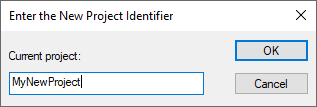
Eventually you can modify any other project's field in the Documents Page by opening the browser for editing or calling edit from the pop-up menu of the project.
Mind not to use the characters '[' and ']' as they are used by MechworksPDM inside the tree and are therefore considered special characters.
Assign new project to all users
When creating a new project or sub-project, if under the control of DBWArm and with Project<=>Users Assignment rights allowed, MechworksPDM shows a new message box asking:
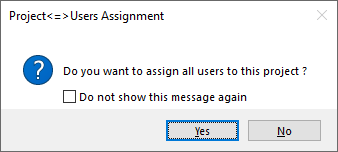
Answering Yes, all the users are assigned to the newly created project and are able to see the project in their browsers.
SubProjects
MechworksPDM allows you to create a hierarchical structure of subProjects. To see how this feature is displayed and how to create subProjects, read the topic Tree of Projects.