CutList options
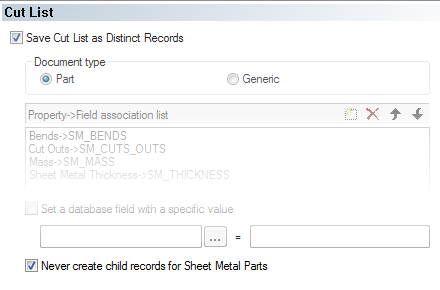
 Save Cut List as Distinct Records
Enables/Disables the Cut List support
 Part
Part  Generic
Sets the type of record (Part or Generic) for the Cut List records being created
Property → Field association list
Contains the mappings between the Cut List properties and the database fields.
A typical entry is similar to: CutListProperty → DatabaseField
Set a database field with a specific value
It is possible to set a DOCUMENT field with a specific value on the save of a Part with child cut-list records.
In such way it is possible to mark the Part with an attribute that can be used for Visual Cues or for quick filtering.
The old value of the attribute is restored in case the Part does not have any child cut-list record.
Example
The part parent of the cutlist items will have the field CATEGORY1 set to "cut list" value.

Never create child records for Sheet Metal Parts
This option allows to import the Sheet-Metal Cut-list properties directly into the DOCUMENT table record, without the need for creating a child cut-list record.
Example1
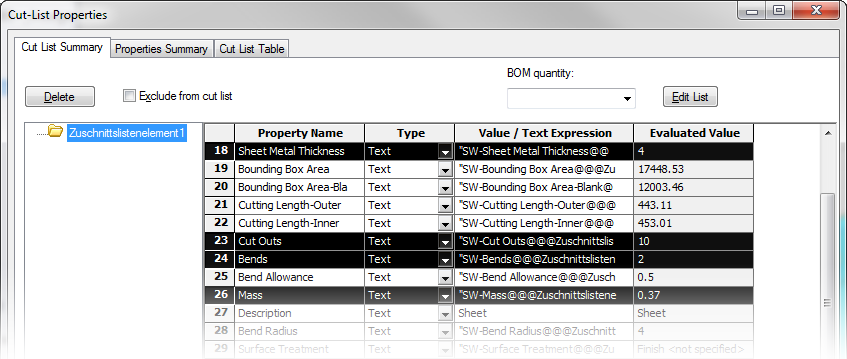
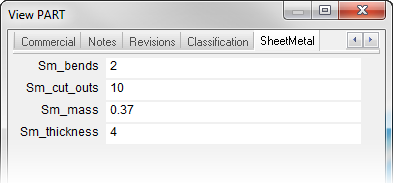
Example2
Option disabled (cutlist record created → cutlist description inserted in the cutlist record):
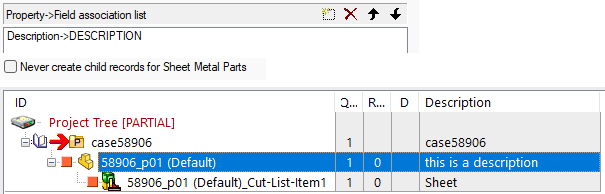
Option enabled (no cutlist record created → cutlist description inserted in the model record):
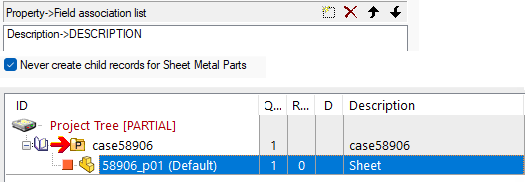
Never create child records for Weldment Parts
When checked, no child records are created for cut-lists of welded parts.
Nevertheless, the option  Never create child records for Sheet Metal Parts is honoured when checked, so importing properties from the structured members only for Sheet Metal parts
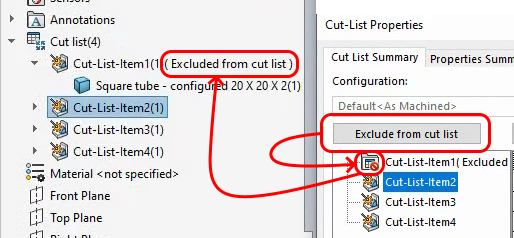
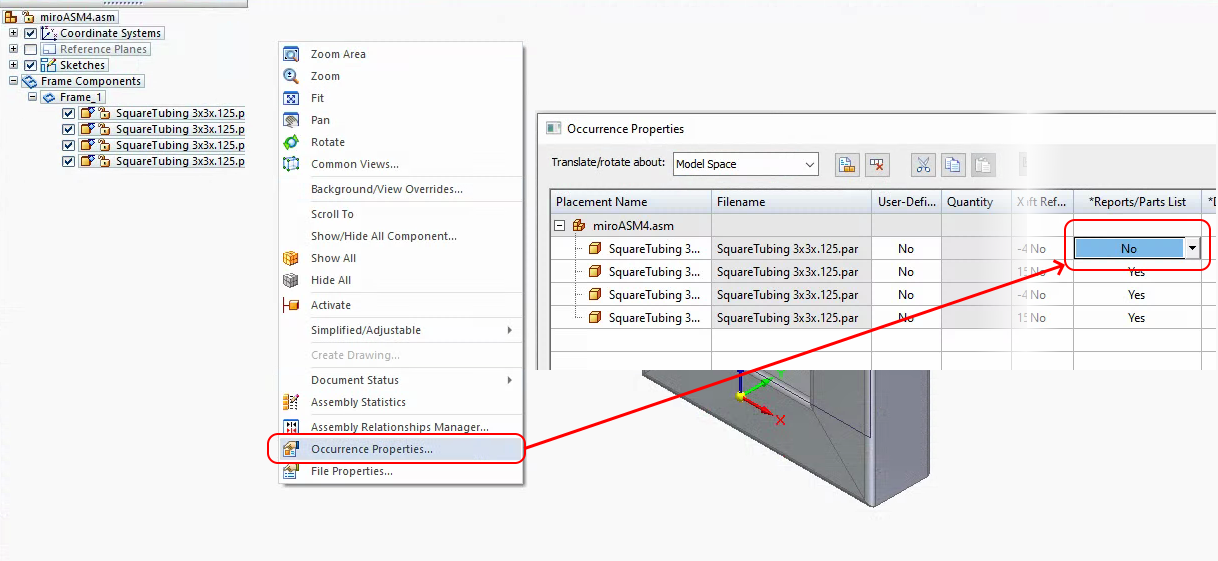
Never create child records for cut list items marked in the CAD as to be excluded
When checked, the cut list items that has be marked not to be included in the cut list will not be inserted in the database.
The way to exclude the item is depending on the specific CAD:
Create child records only for <As Welded> configuration
When checked, the child cut-list records are created only if the current configuration is <As Welded>.
Override base part BOM quantity with Cut-List items BOM quantity
When checked, DBWorks searches for a Cut-List Item that refers to a child Base Part, and if found, it applies the Cut-List Item quantity to the Base Part quantity
Example
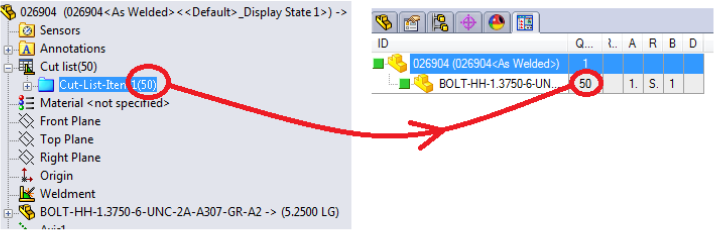
In the above figure, the highlighted Cut-List-Item1 has a quantity of 50.
This cut-list-item refers to the base part BOLT-...
When the option is checked, the quantity 50 is applied to the PARENT-CHILD relation between 026904 and BOLT-...
Notes
a.checking such option will increase, in some cases, the time needed for processing the cut-list records
b.the SolidWorks option "Load external references" must be set to ALL for having this feature to work properly
Avoid Cut List records within the following [Grids]
By selecting grid name(s) from the dropdownlist, MechworksPDM will not show cutlist records in such grids.