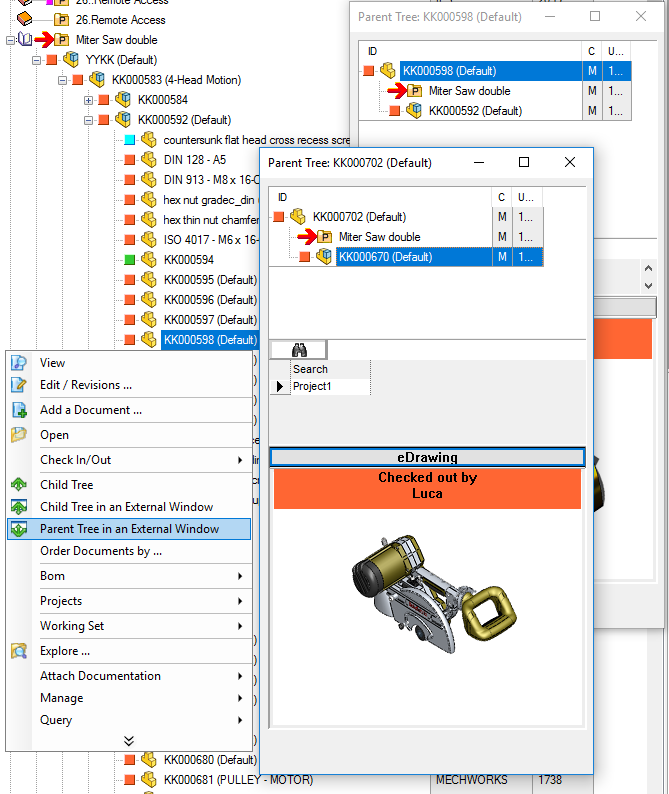
The parent tree
To create a parent tree right-click a document and in it's pop-up menu click Parent tree.
Given a root document, the parent tree displays a multi-level tree of the document according to the relation 'Used by'. Therefore, the first level documents are the hierarchical parents of the root document or the direct containers, the second level documents are the grandparents of the root document and so on...
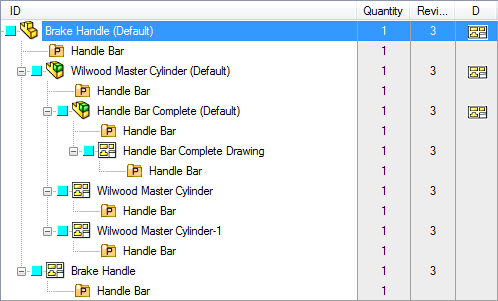
Note that the first level branches are exactly the same documents displayed in the 'Used by' grid of the Documents Page but unlike in that grid, here you can continue traversing and have a complete overview of the structure.
Parent Tree limitations
Please note the parent tree visualization is not exactly the opposite of the child tree visualization; the tree you obtain as parent tree flattens some parents relations, so it cannot be considered a structure.
take a look to the highlighted component:
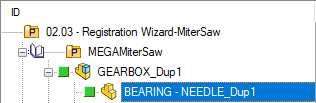
its structure is quite clear and not misleading
The result of a Parent Tree command on the same component doesn't produce a structured set, but a expandable list of parents of the component:
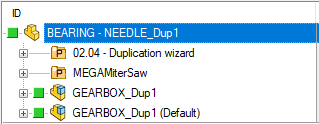
For this reason, specific PARENT_CHILD data are not shown in the Parent Tree.
Parent tree in an external window
Starting from R17 an additional entry in the RMB menu allows to obtain a parent tree in a separate window: