Event Log
This command displays the event log for the currently selected document. If enabled, the results are shown in the QueryPage.
Please note the QueryPage visualization must be active; check the the status of the following option: User Interface → Browser Behavior →  Hide Query Page SQL window
This command is available for amidnistrator user only
This is the result of the query:
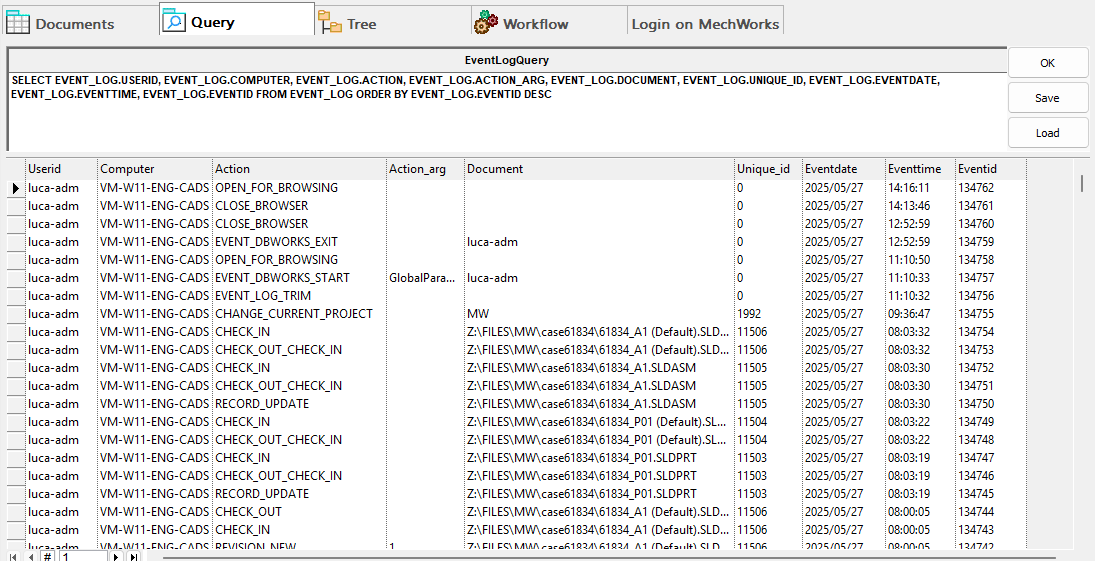
Please note for a more complete and functional visualization of the events, you can use the Events section in the ShortCut bar