Working with a subset of projects
Displaying a projects selection
The command Show selected projects only allows you to work with only a subset of projects. This approach avoids unnecessary crowding of the other grids and speeds up the refresh.
To display only a subset of the projects, select the subset helping yourself with the Shift an Ctrl keys, then right click any of them and in the popup menu select Show Selected Projects Only. The action can be undone in the poup menu by unchecking the same entry.
Add/remove project to/from the current selection
To add an existing project to the selection you don't need to deselect and reselect the projects: you can add the projects one by one when necessary. To do so, right click the root element of the tree and in the popup menu select Add a project to the selection.
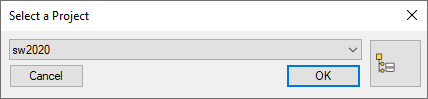
A dialog containing the list of available projects requires you to select the project to be added and asks for a confirmation.
To remove a project from the selection right click the project and in the popup menu select Remove project from the selection.
Loading and saving projects selections
The commands are available from the tree root of the Projects Tree 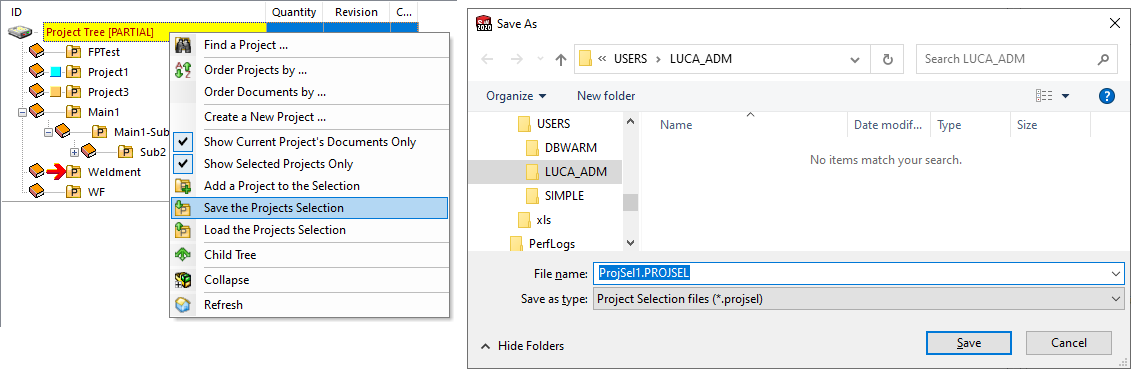
The following is an example of a PROJSEL file; it is simply a list of the UNIQUE_IDs of the Projects being selected.
69870
58985
60505
25445
69839
71529
69815