Simpler menu in the Feature Manager
An option manages the simplification of the popup menu in the Feature Manager:
User Interface→DBW Feat. Manager→ Use Simple Popup Menu in MechworksPDM Feature Manager
When checked, simpler popup menus are displayed when right-clicking on the items of the MechworksPDM Feature Manager Tree and Search Grid.
|
|
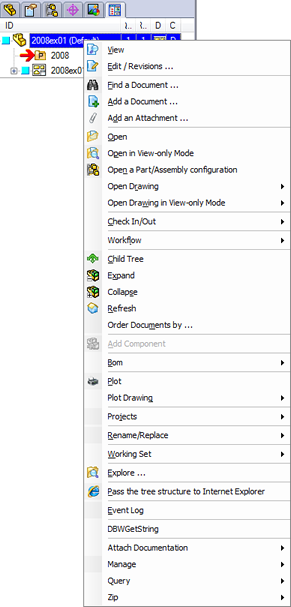
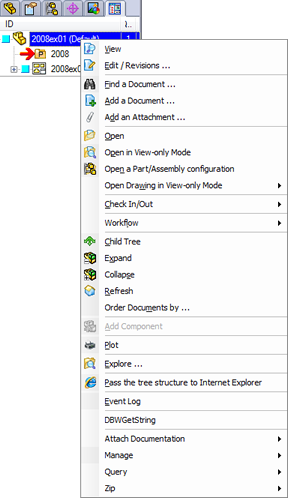
As "simpler", it is intended to be shown without following functionalities:
OPEN DRAWING
OPEN DRAWING VIEW ONLY
PROJECTS
RENAME/REPLACE
WORKING SET
REMOTE ACCESS
OPEN MASTER_DRAWING
OPEN ORIGINAL DRAWING
OPEN COMPONENT
OPEN COMPONENT VIEW ONLY
OPEN CHILD GENERIC
OPEN FILE OUTPUTS
PLOT DRAWING
BOM
The LST specific popup menus are always displayed, being those menus already customizable by adding and/or removing scripts from the LST folders.