Toolbar in the Workflow Designer

New
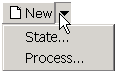
This button depends on the context. Basically it creates a new instance of the type you're editing, could be a process or a state.
You cannot create a new script or a new DBWARM user.
If you want to create a new State but you're editing processes or vice versa, click the small triangle to display a drop down list.
Delete
This button depends on the context. Basically it deletes the currently selected items in the list of Processes or in the list of States.
You cannot delete states if they belong to one or more processes
No check is made if there are documents undergoing processes marked for deletion, so you must check it yourself to avoid malfunctioning.
You cannot delete from this tool a script or a DBWARM user.
Save
This button saves all the settings you modified, processes, states and rights. It is important to understand that the save is not selective and does not depend on the context: it saves all.
The parameter file that contains the settings is human readable and this tool tries to maintain human comments orderly as much as possible, however this is not always possible, so if you added important comments and you mean to bring about important changes, we encourage you to make a backup copy of the file before saving your changes.
About
Displays an about box that indicates the version. Mind that the version of this tool is not strictly linked to the version of DBCustomizer, so if you want to know the version of the Workflow Designer the only certain way is using this dialog.
Exit
Exits the Designer. If you haven't saved the changes, you are asked if you want to save them before exiting.
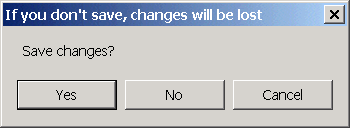
The software may ask you to save also if you haven't really changed anything but you have moved around the interfaces where you could have. In this case, you can avoid saving.