SolidWorks Toolbox integration
 Solidworks users only
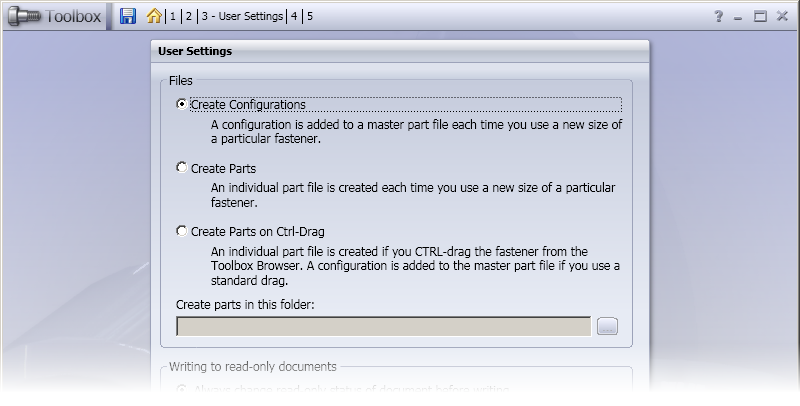
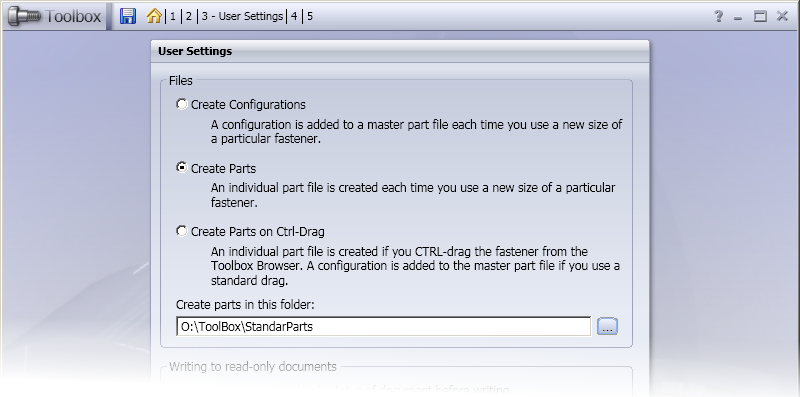
DBWorks provides the integration with the SW Toolbox Standard Parts utility: it supports both the Create Configurations (no copy) and Create Part (always create copy) working models of Toolbox.
Create Configurations:
Create Part:
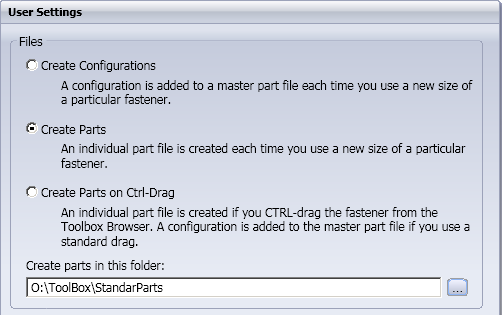
With both models, it is important to assign the correct paths in the DBWorks options, matching the assignments made in the installation of Toolbox (default browser path) and in the "Copy directory" option of the "Document Properties" Toolbox options set.
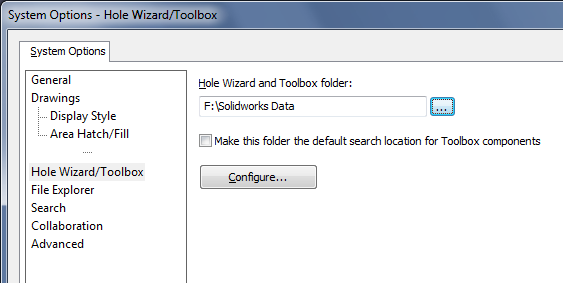
We will assume from now forward that the default Toolbox browser path is located in:
F:\Toolbox Parts
And that the "Copy Directory" option of Toolbox is set to:
O:\ToolBox\StandardParts
Support for the automatic project assignment for Toolbox parts
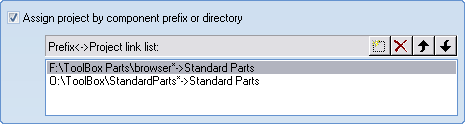
DBWorks supports a directory as arguments for the parameters of the option Prefix↔Project link list. Using this new feature, we copy both the Toolbox directories shown in this list in order to have DBWorks to assign every Toolbox-created component in the chosen projects.
Script for the assignment of the correct ID in the DBWorks database record
In order to avoid the unnecessary configuration suffix (…) in the ID field of a record created by one of the Toolbox standard parts, the special script StandardPartsID.LST is provided as demo under LST\DEMO_LST.
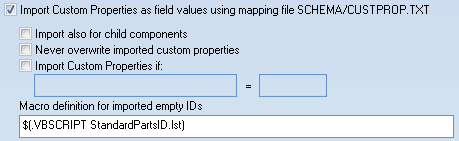
The script uses a new parameter being passed to the $(.VBSCRIPT …) script that can be executed when resolving a MACRO for the assignment of the ID in configured records (DBWorks, Options, Data Input, Macro definition for configured record ID).
DBWorks passes the parameter @DOCUMENT_FILE_DIRECTORY, that can be used to understand that a standard part is being processed by DBWorks for the automatic assignment of the ID of the part.
The sample script is the following:
.VBSCRIPT
const ToolboxPartsDirWithCopy = "O:\ToolBox\StandardParts\"
const ToolboxPartsDirWithoutCopy = "F:\Toolbox Parts\"
const withCopy = false
sub main()
fileName = DBWInput("@DOCUMENT_FILE_NAME")
fileDir = DBWInput("@DOCUMENT_FILE_DIRECTORY")
configuration = DBWInput("@DOCUMENT_CONFIGURATION")
if withCopy = true then
if left(fileDir,len(ToolboxPartsDirWithCopy))=ToolboxPartsDirWithCopy then
DBWOutput "@TEXT", fileName,ForWriting
else
DBWOutput "@TEXT", fileName & " (" & configuration & ")",ForWriting
end if
else
if left(fileDir,len(ToolboxPartsDirWithoutCopy))=ToolboxPartsDirWithoutCopy and configuration<>"" then
DBWOutput "@TEXT", configuration,ForWriting
else
DBWOutput "@TEXT", fileName & " (" & configuration & ")",ForWriting
end if
end if
end sub
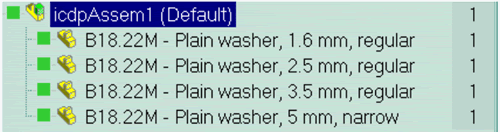
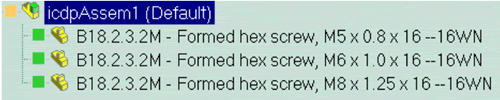
With this script being used for the ID creation for the Toolbox standard parts, the ID will correctly appear as follows:
Support for released standard part files
In DBWorks it is possible to release the files created by Toolbox. DBWorks will correctly LOCK/UNLOCK the file when requested by Toolbox (implementation of the SolidWorks PDM phase 2 specifications). In this way, the Toolbox folder can exist on a DBWServer protected folder.
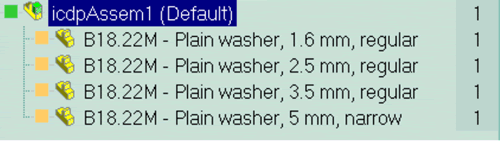
When a new configuration is added to a standard part file, DBWorks records this changement with a new (green) record. This feature is also useful to understand at a glance what are the new configurations used by the designers, to order the new standard parts in stock.
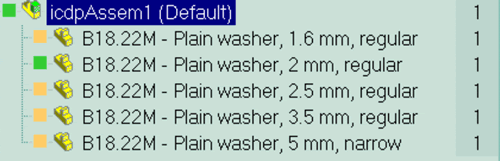
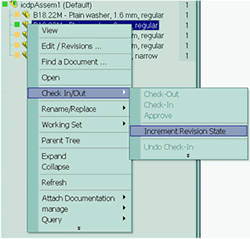
To realign the state of the standard parts sharing the same file, click the (green) new records and proceed with the Increment Revision State/Approve phase.
Support for the assembly approval with not released standard parts
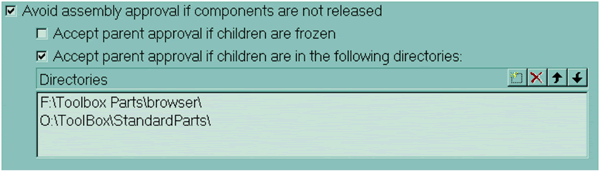
A new option has been provided by DBWorks in order to allow the approval of parent assemblies when some components reside in special directories.
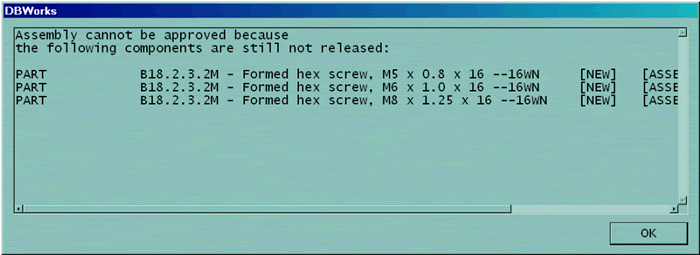
Without this option, when trying to approve an assembly like the following:

DBWorks would display the error message:
With the new option, we can declare a list of folders where the standard parts are stored, allowing the approval if the components are stored in those folders:
The assembly can therefore be approved:
How to retrieve data from Toolbox parts
When you save Toolbox parts in database, you may want to get specific data from them and enter this data in DBWorks database fields.
In the picture below are reported all configurations (390) of the same ToolBox part.
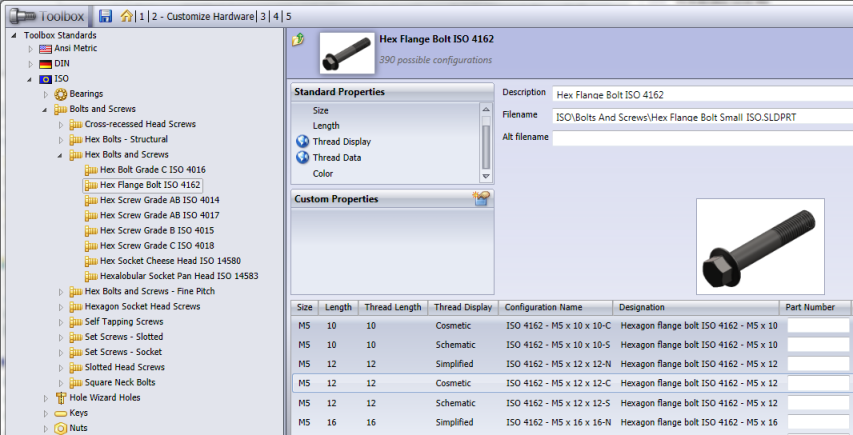
You may want to keep only some of them, or maybe you want to give the ID of the Standard part a value such as "Flange Bolt 1" rather than "ISO 4162 M5 x 10 x 10-N".
Please note that for each configuration are there 3 fields (Part Number, Part Description, Comment) that are written as other fields in the File Custom Properties.
Let's see how to procede:
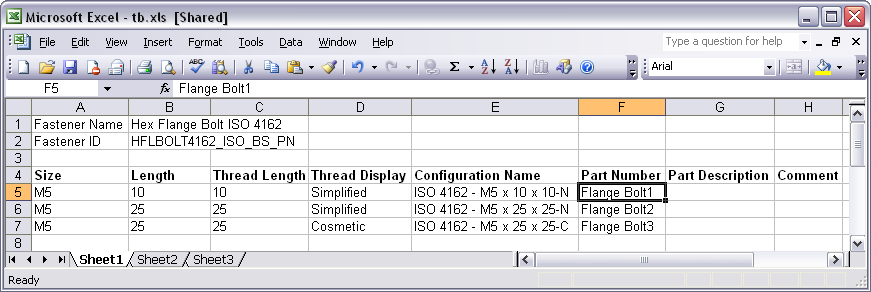
1.export the Toolbox data as an Excel sheet, with the button
2.modify the created Excel File.
You cannot remove unused configuration, but you can create set a configuration name based criteria in DBWorks to save only required ones. More, you can fill Part Number field to have a more readable values to map into ID of ToolBox components saved in the database.
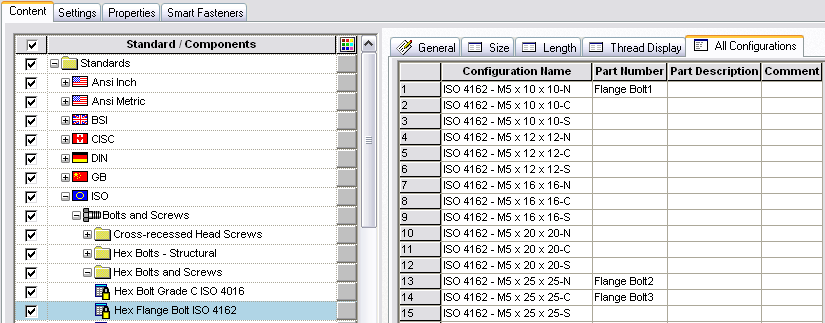
3.import data back to SolidWorks with the button
As you can see data has been updated:
4.enable option Data Input→ Import custom properties as field values using mapping file SCHEMA/CUSTPROP.TXT and create a CUSTOPROP_INSERT.TXT file containing at least this association
...
ID "Part Number"
...
5.set in DBWorks options Environment→Configurations→Save configurations only of components with configurations name ... a criteria to save only configurations you need.
6.save in DBWorks and verify that configurations ID are properly replaced by values you entered in Part Number property of single configurations.