Fields visibility in the WebViewer client
Information displayed on the client depending on the group
The fields that define the fields displayed in the main table and in the single record viewer are the files tables.dfl and dataentr.txt .
One copy of these files is automatically added to the directory DBWorks StandAlone\WebViewer during the installation:
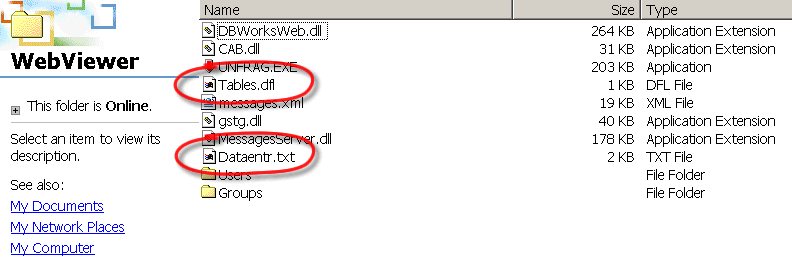
These files are being read and used as a reference only if you haven't defined any more specific file in the group to which the user belongs. If you want to define specific group behaviours, you need to create a folder in the folder Groups for each group of users for which you intend to define specific dataentr.txt and tables.dfl files.
In the image below four subFolders have been created for specific WebViewer groups of users. The group names are the same as the ones in DBWARM, but that doesn't imply that in DBWARM you have only four groups, it means only that you want to display specific information only for these groups.
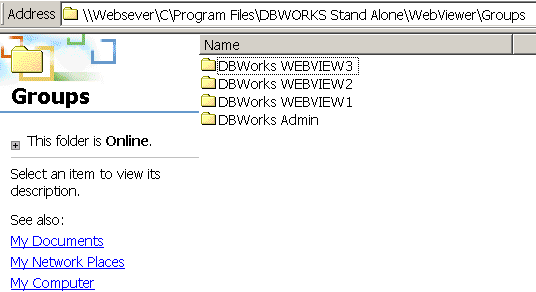
Let's consider the groups DBWorks WEBVIEW1 in detail, the mechanism is equel for every group.
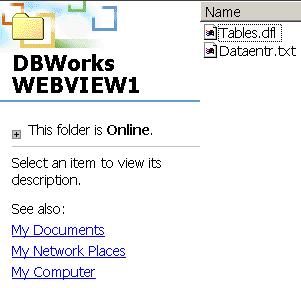
In this group the files tables.dfl defines the fields visible in the main table of the WebViewer client. If you want to apply specific settings for a particular group of users, create a folder for the group, copy the file tables.dfl from the directory StandAlone\WebViewer into the group folder, open the file using Notepad or any othe text editor and select the fields that should be displayed. Please remember that the fields UNIQUE_ID, FILE_NAME, FILE_DIRECTORY, STATE are necessary for the correct functioning and should not be deleted. The information contained in these fields under normal conditions should not reveal any secret information. We also advice to maintain the field T within the top positions to display the graphic symbol of the document as in SolidWorks.