Filter IP addresses
Filter IP addresses
You can disallow the users belonging to a group to login from an unrecognized IP address. In practical terms, you can make sure that also if your installation is exposed out of your company, some of the users can login only from their office location and not from home.
Create a text file in the directory c:\program files\DBWorks Stand Alone\Webviewer or equivalent on your web server and name the file 'IPAddressesAllowed.txt'.
Create a line for each group of IP addresses allowed. You can use generic expressions such as
127.0.0.*
190.45.45.*
Save the file. You needn't restart the web service or the Web Client components.
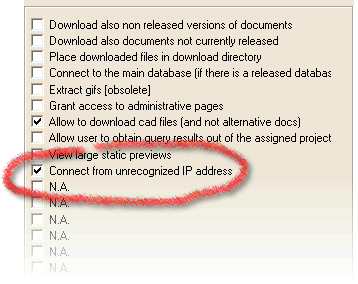
Open the WebViewer section of DBWARM for the group of users for which you want to introduce the limitation.
Check the case 'Connect from urecignized IP address'.
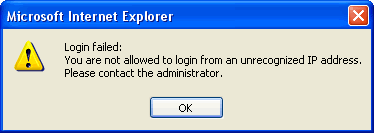
If a user tries to connect from an unrecognized IP address, he gets a clear warning and is invited to get in touch with you for further information.