Mechworks PDM creates its own BOM retrieving the structure from its database.
The DBWorks BOM is not meant to substitute the CAD BOM in drawings but rather to obtain more complete and flexible BOM mainly for commercial or reference use.
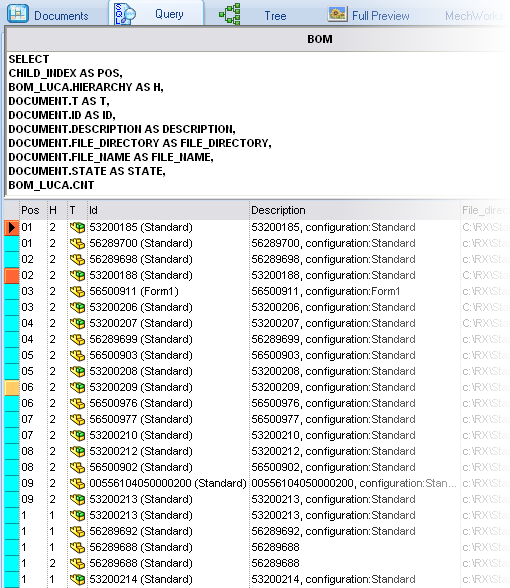
The BOM output from DBWorks is aligned with the BOM output from SolidWorks, that is the item numbers appears in the same order. The only limitation is that the item identifiers must be UNIQUE in the first hierarchy level of the assemblies, in accordance with the recommandations of SolidWorks.
How to create a BOM for an assembly
Right click an assembly record in any grid and in the pop-up menu click Bom.
A dialog box appears on the screen:
The hierarchy level determines how many hierarchical levels you include in the parent-child relations tree (direct children are considered to be at level 1).
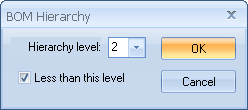
The less equal than this level check box determines whether the indicated hierarchical level is included or not in the BOM.
Let's see an example:
|
|
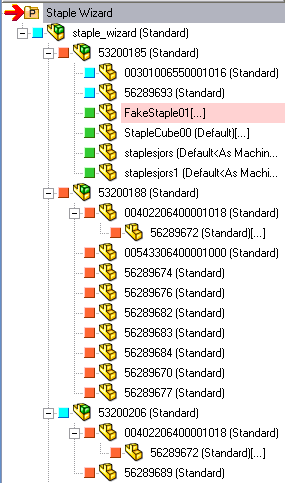
MechworksPDM allows you to explicitly exclude some elements from appearing in the BOM and in the Buy List. To do so, you need to set the MAKE_BUY field value to NO_BOM.
Optionally, you can set the MAKE_BUY property automatically in order to maintain exact consistency between the DBWorks BOM and the SolidWorks ones.
BOM for a drawing
If you call the command from a drawing, then DBWorks looks for a BOM inside the drawing and if found then gets the data from there. Note that if the UNIQUE_ID column is not available in the drawing BOM then DBWorks tries to match the name of the items in the BOM with the field ID to determine the items. An error is raised if for any item this correspondence is not found
Technical specifications
If there are, say, 10 items, you are not obliged to number them from 1 to 10, and you can assign positions higher than the items number. DBWorks creates a BOM that sorts the positions number.
The position assigned to an item is valid only within the current context and may change in separate ones.
You are allowed to assign the same position to separate items, but this choice could generate confusion and we advice not to.
Possible use
Suppose a part is contained in many assemblies. You might like to define it's position consistently across the assemblies to ensure consistency across BOMs.