Hierarchical relations
Every time you save a document containing other sub-documents (i.e. an assembly containing sub-assemblies and parts, a drawing containing parts) MechworksPDM maintains these relations in its database.
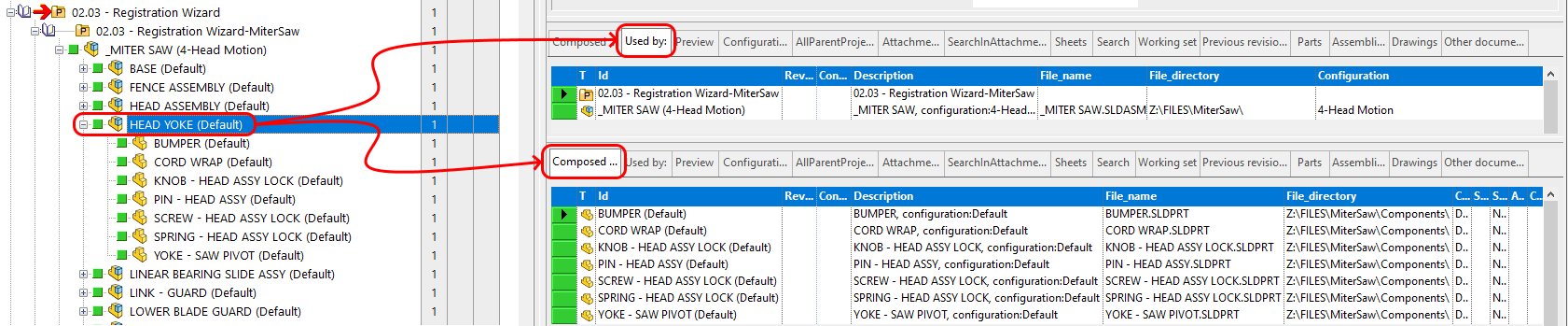
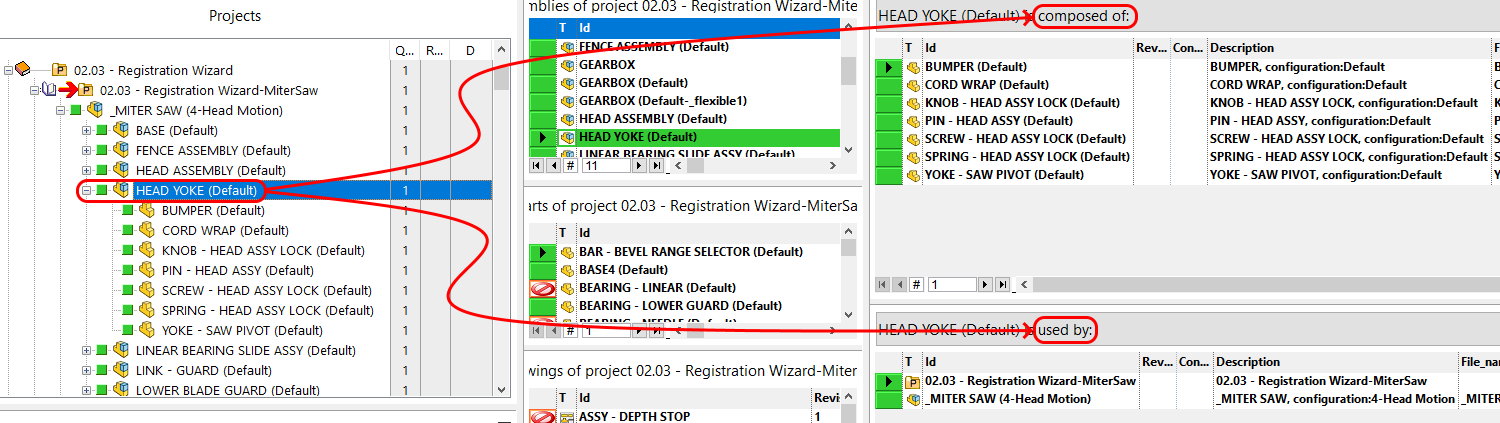
These relations are explicit in the tree of projects and in the tree views. Implicitely, they command the automatic refresh of the content of the grids 'Composed of' and 'Used by'. As you can see in the image, the documents enlisted in the 'Composed of' grid are the same displayed as children of the assembly in the tree of projects, where optionally documents can be displayed.
When you select a document visible in the tree of projects, the same document is selected in the grid to which the document belongs in accordance with its type. The same mechanism is available for every grid, so each time you select a document in a grid or tree, the same document is synchronized in all the other visible grids, where applicable.
TreePage
DocumentsPage
Browsing
Because of the way the 3D CAD itself has been designed, the same part can be included in several documents, i.e. it can belong to a drawing, to two different assemblies and to many projectsn at the same time.
All these parent-children relations are saved into the database allowing you to browse it efficiently and quickly in a hierarchical way.
You can start from a project and go all the way down to atomic documents (usually parts or associated external documents as Excel sheets) or start from a part and go up through assemblies to drawings or projects.
The Composed of and Used by grids allow you to move one step down or up in the hierarchy.