DBWAclServer Options
 Enable ACL file locking
If this option is enabled, MechworksPDM dynamically changes the file permissions on a checkout/checkin/release event.
The current user (the one that has checked out the document) has Read and Write permissions on the checked-out file, while all the other PDM users only have the Read permission on the same file. This avoids a checked-out file to be erroneously overwritten also for the users that are not working with the PDM.
 Use legacy client-side DBWServer service
This mode is obsolete.
 Use server-side DBWAclServer service
This mode is the suggested one, see the specific help chapter.
Verify DBWAclServerConnectivity
Once set the preferred server name below, this button allow to do a test connection to the ACL server
Workgroup Security Mode
When enabled, DBWAclServer works in a Windows Workgroup, so not bound to any Active Directory Domain.
See specific help about DBWACLServer settings.
Enable safety synch from server to client
When enabled, for each ACL operation (lock, unlock, ...) it is performed an explicit synchronization between server and client machine.
For performance issues, it is suggested to enable this option only in case of slow networking contexts.
Typically unexpected problems in executing revision operations (check-out, check-in, approve) are a symptom of slow networking contexts.
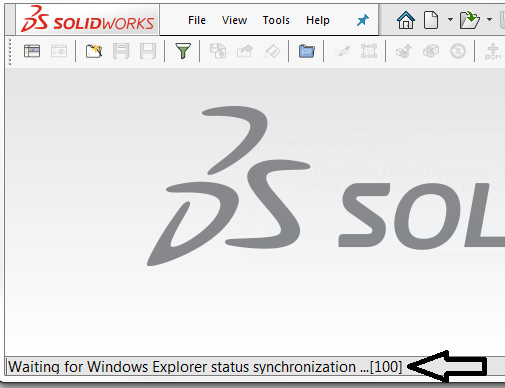
Moreover, in such situation, a message Waiting for Windows Explorer status synchronization ... is also provided in the status bar at the bottom of the application window:
Enable No-Browsing Management
This option will demand to DBWACLServer the operations that can not be executed by the client because of no browsing settings on the filesystem.
Enabling this option is mandatory if a no browse environment has been set up.
DBWAclServer preferred server name
When working with NetApp devices, it may be helpful to assign a Windows Server name where to run the DBWAclClient service.
When such option is assigned (specifying a valid Window Server name), MechWorksPDM will avoid the automatic server routing for searching the DBWAclServer, instead using the assigned server name.
Leaving the option blank (default) will allow the automatic server routing (based on the \\<server name>\<share> file path ) for DBWAclServer.
Please note that this option should be kept blank when working with the Remote Access Mode→ Use DBWAclServer protected file transfer, since the DBWAclServer available map is acquired by reading the LOCAL_SERVER_NAME values from the DBW_COMPANY_INFO table.
DBWorks global group name [ domain\group ]
It must be filled with the name of the global group to which the MechworksPDM users have been assigned to.
The format of the assigned name must be DOMAIN\group.
The MechworksPDM checks the existence of the specified group at the moment of the option confirmation and at every startup.
 Don't apply DBWAclServerADM.TXT permissions on Release
If checked, MechworksPDM will not apply, when releasing a document, any special permission added in the DBWAclServerADM.TXT administrative file.