Remote Access Mode and projects management
MechworsPDM as a default behavious displays in the Projects tree only the local projects. Optionally, you can decide to display in the Projects tree also projects and documents belonging to remote companies.
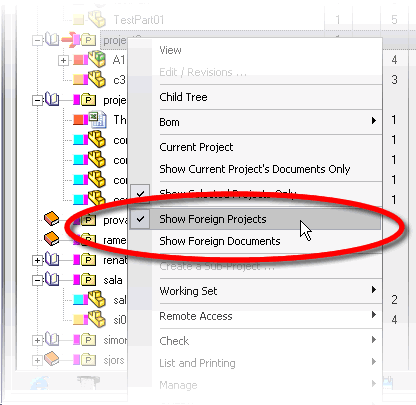
Right click any project, included the tree root and in the popup menu click Show Foreign Projects or Show Foreign Documents to avoid the default limitation. The menu entries behave like switches, so selecting the same command again will invert the setting.
To show also external projects, you must apply a filter to the projects grid, assigning in the COMPANY_ID field the name of the company whose projects are to be shown. Then, once the projects are displayed in the Project grid, clicking on any of them will display in the Composed Of grid the grid of the external components in that project.
To see foreign project even if the option Take a look to Shared Project topic