 Plot
Plot
The command Plot allows plots directly the active document. It does not allow for multi-selection plotting from the Documents Page. To plot many related documents in a row, create a hierarchical tree and lot from the Tree Page.
RMB shortcut menu for plotting the drawings of a document
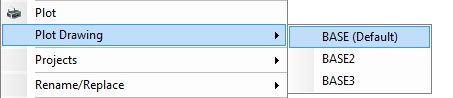
This command is a shortcut to avoid opening the browser and/or looking for the related documents in the interface.
For further information on the plotting process and on setting up the plotter, please refer to the help section Plot.