DBWorks entries in the Solidworks pop-up menu
 Solidworks users only
DBWorks includes entries in the SolidWorks pop-up menus for the assemblies so as to allow you to perform all the most common tasks on each of the component parts without having to open the DBWorks window. Move the mouse over the menu for a short description, click to open the in depth topics.
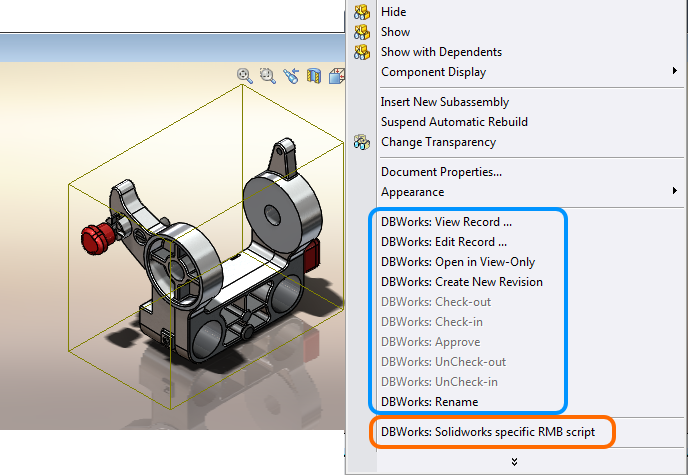
Standard entries
Blue highlighted entries are fixed and include data info (view and edit record), revision activity (Create new revision, Check-out, Check-in, Approve, UnCheck-out, UnCheck-in) and other useful actions (open view only, rename)
Custom entries
You can add custom script entries in Solidworks menu; Every .vbs file located in LST\SW\ folder will be displayed in the menu.
The orange highlighted script is shown due to the existence of file <Mechworks_PDM_SERVER>\LST\SW\Solidworks specific RMB script.VBS