File Attachments
Introduction
File Attachments is a support for managing file without registering them in the DOCUMENT table. For such feature, a special table named DBW_ATTACHMENTS is managed by MechworksPDM. MechworksPDM detects, at startup time, the presence of such table and enables the support for file attachments.
Table schema
DBW_ATTACHMENTS |
|||
|---|---|---|---|
PK |
Field Name |
Data Type |
Allow Nulls |
T |
varchar(1) |
|
|
DESCRIPTION |
varchar(80) |
|
|
|
FILE_NAME |
varchar(256) |
|
|
FILE_DIRECTORY |
varchar(256) |
|
REVISION |
varchar(20) |
|
|
|
DOCUMENT_UNIQUE_ID |
int |
|


All the fields must be LOCALIZED for the database language currently in use. For example, in a German installation, the field FILE_NAME must be declared as DATEI_NAME.
Functionalities
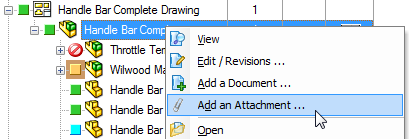
Add an Attachment... on tree RMB entries
A new RMB popup menu entry Add an attachment... is available for selecting the files to be attached to the currently selected document:
Script OnCustomQueryTab_Attachments.LST
Read the specific topic
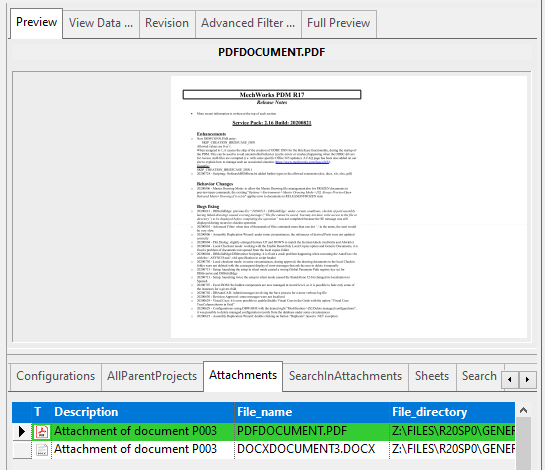
Preview of the attachments
The preview of the attachments is supported within the range of types supported by the available installed viewers:
RMB commands from Attachments grid
The following command are available on the RMB popup menu for an attachment record:
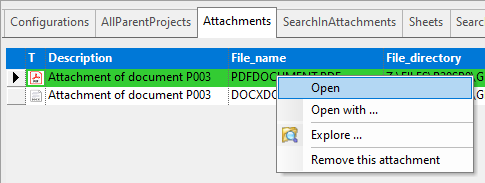
Open
Opens the attachments with the application associated by Windows
Open with ...
Opens the attachments with an application chosen by the user
Explore ...
Opens the attachment’s containing folder
Remove this attachment
Removes the selected attachment from the parent document
Compare with current model
This entry is available on RMB only if the attachment is an As Built ADW-generated assembly (see specific help topic)
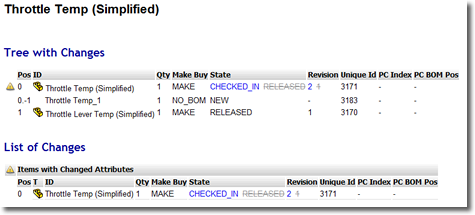
Compares the structure of the As Built model with the structure of the current model
The output is an HTML page with differences reported in a smart way:
Show attachments through visual cues
The attachment visual cue is automatically managed, with no need for adding it to the SCHEMA\IMG\DBWVisualCuesDef.txt definition file.
More, you can show the clip tree icon as a distinct columns among the other tree columns. Please read Dynamic Tree Columns topic for further information about.
Search in the DBW_ATTACHMENTS table
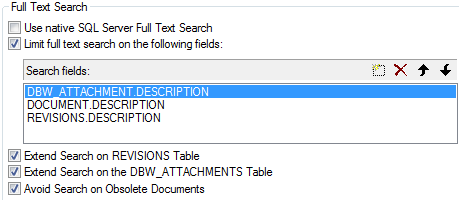
It's possible to search the attachments data through the option
User Interface→Browser behavior→ Extend Search on the DBW_ATTACHMENTS Table
The Search result set will display all the Documents that have at least one Attachment that satisfies the Search query.
Any field to be searched in the DBW_ATTACHMENTS table must be inserted manually in the Search Fields list box, with the prefix DBW_ATTACHMENTS.
Download of attachments (remote access context)
In a context of Remote Access it is possible to include attachments to documents to be available for the download between different sites. An option has to be enabled for such goal:
Environment→Remote Access→Download Attachments
Requirements for this ability are:
•the DBW_ATTACHMENT table must be replicated
•the Network Drives letters used for the Attachment Files must exist also on the Local Workstation
The PDM will rebuild the full paths when downloading the files.
Rename of attachments
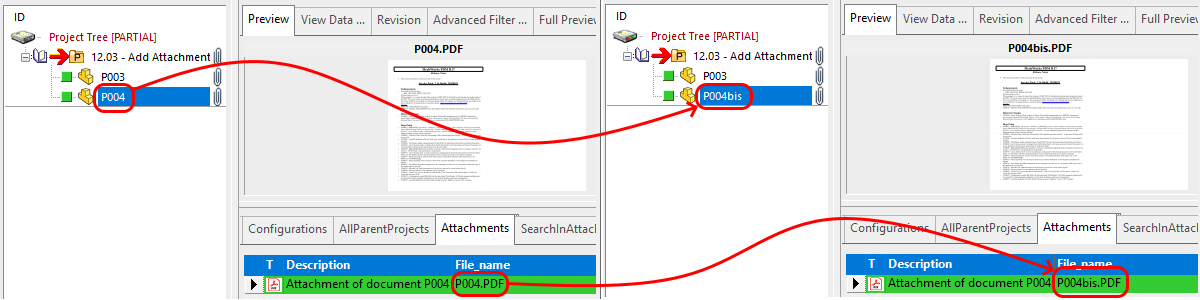
Starting from R13, when renaming a Document any attached file is renamed automatically, but only if the Document file name matches the Attachment file name (e.g. MyFile.SLDDRW and MyFile.PDF)
Avoid attachments addition
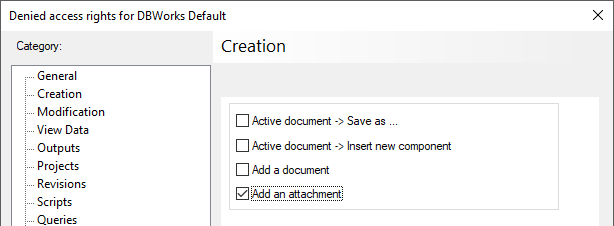
In the DBWArm Editor's Creation page is possible to deny the right of adding a Document as an Attachment.
the Add a document denies either the adding of a Document as a Child Generic Document that the adding of a Document as an Attachment
the Add an attachment denies only the adding of a Document as an Attachment.